
A look inside
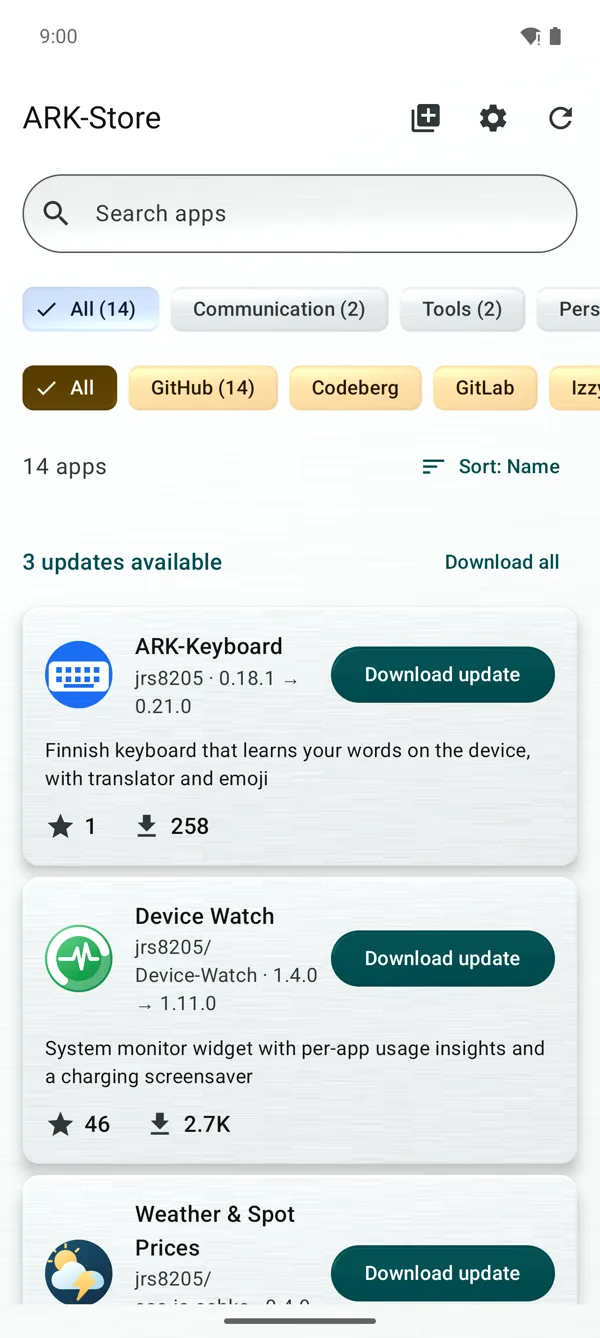
One list tells what is installed, what has a newer version and what there is to get.
What you get
-
One list for everything
Updates, installed apps and apps to install in one list. One tap downloads an app or its update, and Download all takes every update that waits.
-
Five places, one store
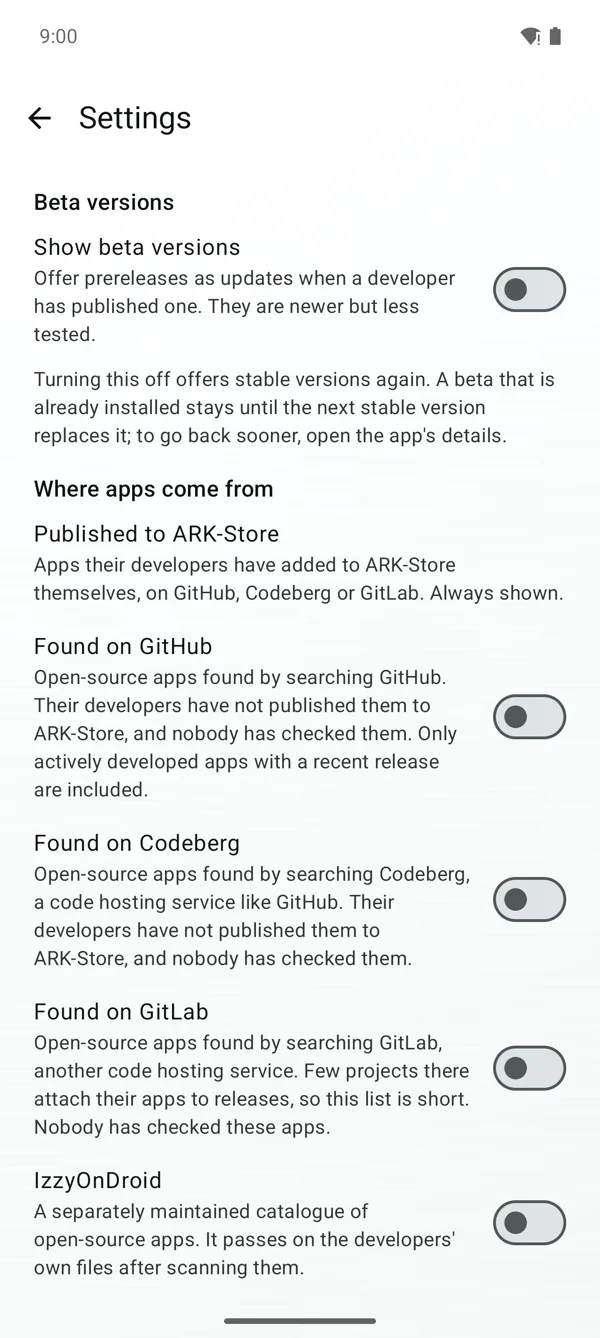
Apps from GitHub, Codeberg and GitLab, and the IzzyOnDroid and F-Droid catalogues behind a switch. An app offered by several places is listed once.
-
Know before you install
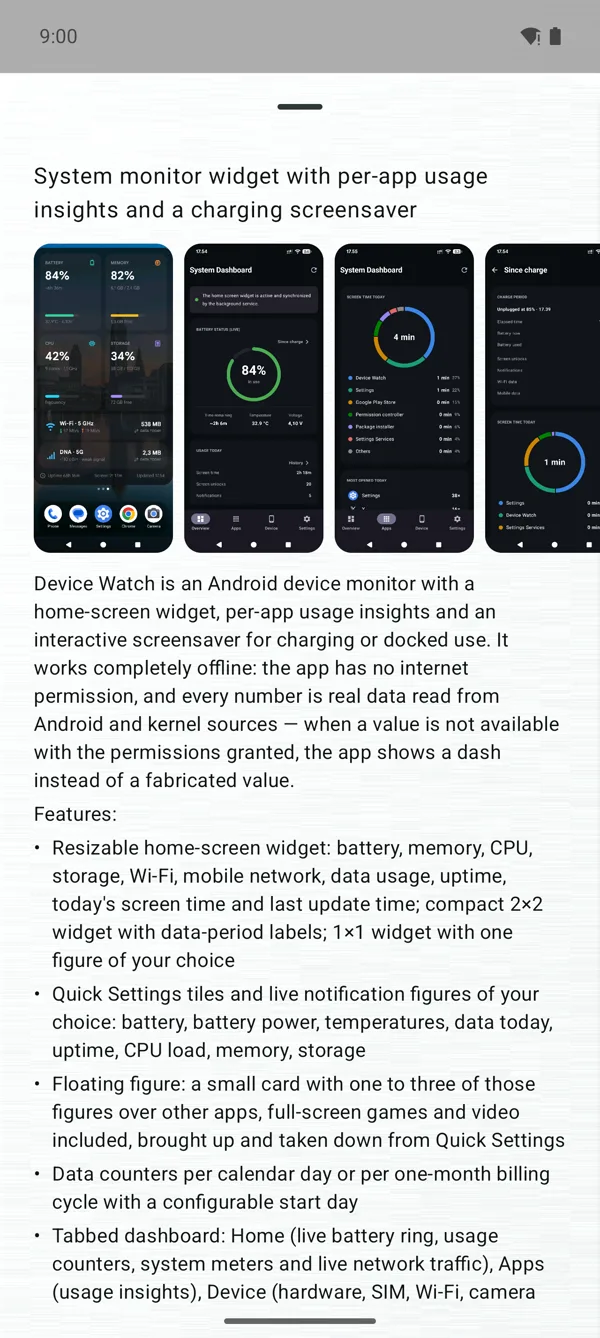
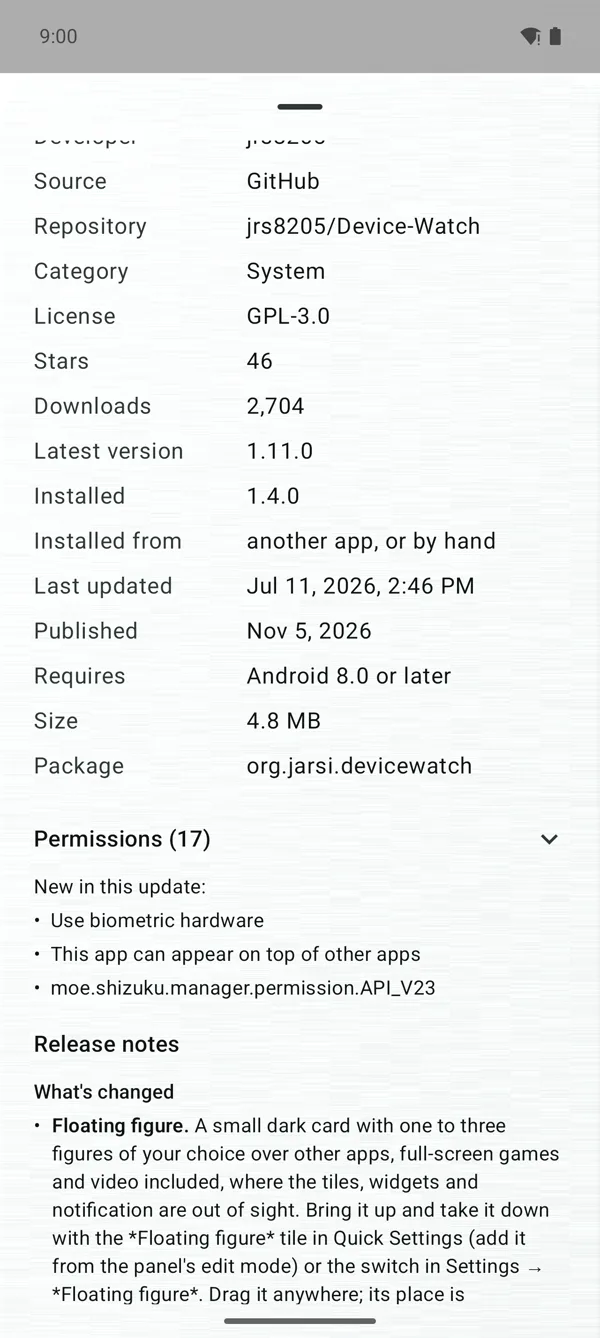
The details tell the version, the size, the Android version an app needs and the permissions it asks for. What an update would add is told first.
-
No account
Nothing to sign in to. The list comes from the store's own index, and a fresh install asks GitHub for nothing.
-
You install, or root does
The store checks each file and saves it in Download/ARK-Store for you to install from the Files app. On a rooted device it installs and updates by itself.
-
Updates you hear about
A check in the background about every four hours and a notification when a new version is out. An update can be skipped, or an app held back altogether.
-
Made to be read
Five palettes, the colours of the wallpaper on Android 12 and later, and a pure black dark theme. Contrast of at least 7:1 and labels for a screen reader.
-
Backups
Sources, bookmarks and settings export to a file. Apps installed from outside Google Play can be backed up as their APK files and restored.
Publish your app in four steps
For developers: no account, no submission form, no review queue, no fees.
- Make the repository public.
- Give it an open-source licence that GitHub recognises.
- Create a release and attach the APK.
- Add the topic
arkstoreto the repository.
The app appears for every user at the next index run, usually within an hour, and new versions follow every release. To take it out of the store, remove the topic. The same steps work on Codeberg and GitLab. The full instructions are in the README.
Questions
Is ARK-Store free?
Yes. It is free and open source under the GPL-3.0 licence, and it needs no account.
Why do I install the files myself?
ARK-Store does not ask Android for the right to install apps: Play Protect has blocked builds of the store that did. So the store downloads the file, checks it and saves it in Download/ARK-Store, and you install it from the Files app. On a rooted device the store installs and updates by itself.
Does someone check the apps?
No. Developers publish their apps themselves and nobody reviews them. Only public repositories with a recognised open-source licence are listed, the details tell an app's source, licence and permissions, and the store says so when an installed app is signed with another key than the version offered.
Which phones does it work on?
Phones and tablets with Android 8.0 or later.
Where do I report a problem?
Get ARK-Store
Download the latest APK and open it on your phone. Every release is also mirrored on SourceForge.